zcal – Create Beautiful Scheduling Pages That Boost Bookings and Improve Client Experience
zcal Most scheduling tools work, but they rarely impress. They give you a plain link and a basic layout. As a result, your booking flow looks just like everyone else’s. However, your clients expect something better. They want a smooth, modern, and personal experience.
zcal helps you deliver exactly that. It lets you design beautiful, branded scheduling pages that feel warm and professional. Because the platform focuses on clarity and design, your booking process becomes easier to use and far more effective. Consequently, more people complete their bookings.
Whether you’re a coach, consultant, freelancer, or agency owner, zcal gives you a clean and simple way to create a premium scheduling experience.
A Clean, Branded Page That Makes a Strong First Impression
Your scheduling page is often the first real touchpoint with a client. Therefore, it needs to look good. zcal helps you create a page that feels polished and personal.
You can add your photo, logo, colors, and message. In addition, you can include short instructions or a friendly greeting. These small touches help visitors feel welcome. As a result, they trust you more and book with confidence.
A Simple Booking Flow That Increases Conversions
People avoid booking when the process feels confusing. zcal solves this with a clean and simple interface. Visitors can see your availability right away. They can choose a time and confirm in seconds.
Moreover, the layout works beautifully on any device. Because the experience is so smooth, more people finish the process. Consequently, your booking rate goes up without extra effort.
Smart Availability That Protects Your Time
Your time matters. zcal helps you manage it with ease. You can set your availability once and let the system handle the rest. You can block personal time, add buffers, and prevent back‑to‑back meetings.
In addition, zcal syncs with your existing calendars. This prevents double bookings and keeps your schedule clean. As a result, your day becomes more organized and less stressful.
Automatic Reminders That Reduce No‑Shows
No‑shows waste time. Fortunately, zcal includes automatic reminders that keep clients informed. You can choose when reminders go out and what they say.
Because reminders are sent automatically, clients show up more often. Consequently, your schedule becomes more reliable.
Multiple Event Types for Every Kind of Meeting
Different meetings need different settings. zcal lets you create multiple event types, each with its own rules and availability.
For example, you can set up:
- Discovery calls
- Coaching sessions
- Sales demos
- Interviews
- Onboarding meetings
- Strategy sessions
Each event gets its own page. In addition, you can customize the message and instructions. As a result, every meeting feels organized and intentional.
A Modern Experience That Clients Actually Enjoy
Most scheduling tools feel cold and generic. zcal feels friendly and modern. The layout is clean. The steps are simple. The visuals are warm and inviting.
Clients do not need an account. They do not face extra steps. They simply pick a time and book. Because the experience is so easy, clients feel more comfortable working with you.
Personal Touches That Help You Stand Out
zcal gives you tools to make your page feel personal. You can add a short bio, a welcome message, or a branded header image. You can also include your social links.
These details help clients feel connected to you before the meeting even starts. Consequently, your booking page becomes a small but powerful part of your brand.
Share Your Page Anywhere
Your zcal link works everywhere. You can add it to your website, email signature, social profiles, newsletters, and landing pages. In addition, you can embed it directly into your site.
Wherever people find you, they can book instantly. As a result, you remove friction and increase conversions.
Simple Team Scheduling for Groups and Organizations
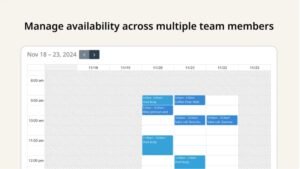
If you work with a team, zcal makes scheduling easy. You can set up round‑robin scheduling, group meetings, or shared booking pages.
Everyone stays aligned. Clients always get the right time with the right person. Meanwhile, your team avoids long email chains and messy coordination.
A Better Way to Manage Your Calendar
zcal is more than a booking tool. It helps you manage your time. You can set meeting limits, add prep time, add follow‑up time, and block focus hours.
Because you control every detail, your calendar becomes more balanced. Consequently, you gain more time for deep work and important tasks.
Why Users Love zcal
zcal is built for people who want a scheduling tool that feels modern and enjoyable. It is perfect for anyone who wants to increase bookings and improve client experience.
Users love it because it:
- Creates beautiful booking pages
- Improves conversion rates
- Reduces no‑shows
- Saves time
- Simplifies scheduling
- Works on any device
- Feels warm and personal
Ultimately, zcal helps you turn more visitors into meetings — and more meetings into opportunities.