WP 301 Redirects
Fix broken links, manage redirects, and boost SEO WP 301 Redirects.
WP 301 Redirects Broken links hurt your website.
Meanwhile, visitors reach pages that do not exist.
In addition, search engines waste time crawling them.
As a result, your rankings drop.
However, many site owners notice this too late.
That’s why WP 301 Redirects exists.
It is a WordPress plugin.
It finds broken links, tracks 404 errors, and creates 301 redirects automatically.
Instead of losing visitors, you send them to the correct page.
You don’t need coding.
You don’t need server edits.
Therefore, anyone can use it easily.
Why broken links hurt SEO
Websites change constantly.
-
Pages get deleted.
-
URLs get renamed.
-
Products get removed.
-
Posts get moved.
However, old links remain in bookmarks, backlinks, and search results.
Consequently, they create 404 errors.
These errors cause problems.
First, users hit dead ends and leave.
Second, search engines see your site as low quality.
Finally, you lose link equity.
WP 301 Redirects finds broken links fast.
Then, you fix them immediately.
Thus, your site stays healthy.
Therefore, your SEO stays strong.
Find 404 errors automatically
Checking links manually wastes time.
Instead, WP 301 Redirects monitors your site continuously.
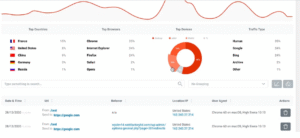
The plugin logs 404 errors instantly.
Whenever a visitor or bot requests a missing page, it records it.
As a result, you know what is broken.
You can see:
-
The missing URL
-
When it was accessed
-
How often it happens
-
Where the request came from
Therefore, you fix the most important errors first.
Moreover, it stops small problems from growing.
In addition, you prevent future SEO issues.
Create 301 redirects in seconds
Finding broken links is only half the work.
You must fix them fast.
With WP 301 Redirects, you create 301 redirects in WordPress.
Pick the broken URL.
Then, choose a destination.
Next, click save.
The plugin applies the redirect instantly.
Meanwhile, search engines know the page moved permanently.
You can redirect visitors to:
-
A related post or page
-
A product or category
-
A custom URL
-
Your homepage
As a result, visitors stay on your site.
In addition, link equity passes to the new page.
Therefore, your SEO stays intact.
Protect SEO rankings
Search engines like clear site structure.
Broken links send bad signals.
Consequently, 404 errors lower rankings.
WP 301 Redirects uses 301 redirects correctly.
As a result, your SEO stays strong.
-
Rankings stay strong.
-
Crawl errors decrease.
-
Index coverage improves.
Moreover, internal links keep working.
Thus, your site authority grows over time.
Improve user experience
User experience matters.
Visitors want answers, not errors.
Broken links frustrate them.
They make your site look unreliable.
WP 301 Redirects sends users to relevant pages.
As a result, your site feels smoother.
You get lower bounce rates, longer sessions, higher trust, and better conversions.
Ultimately, happy users return more often.
Perfect for site migrations
Site changes can break links.
For example, redesigns or permalink updates create broken URLs.
Meanwhile, traffic can drop fast.
WP 301 Redirects makes migrations safe.
You can redirect old URLs to new ones quickly.
As a result, you avoid traffic loss, SEO drops, and broken backlinks.
Instead, your site transition stays smooth.
Moreover, the plugin keeps authority across pages.
Thus, users and search engines stay happy.
Simple dashboard
SEO tools can feel confusing.
However, WP 301 Redirects is simple.
The dashboard is clean.
It is easy to use.
Therefore, anyone can manage redirects easily.
From one dashboard, you can:
-
View 404 error logs
-
Create and manage redirects
-
Enable or disable rules
-
Monitor redirect activity
Meanwhile, the plugin works quietly.
In addition, it keeps your site healthy without extra effort.
Lightweight and fast
Website speed matters.
Many plugins slow your site down.
However, WP 301 Redirects runs fast and efficiently.
Redirects happen instantly without heavy scripts.
As a result, your site stays fast.
At the same time, SEO and user experience improve.
Who should use WP 301 Redirects?
This plugin works for any website owner:
-
Website owners protecting SEO
-
Bloggers updating content
-
eCommerce stores managing product URLs
-
Agencies handling multiple sites
-
Developers needing fast redirect control
Even if your site changes constantly, WP 301 Redirects keeps SEO, structure, and users safe.
Turn broken links into smooth journeys
Every broken link wastes traffic.
However, WP 301 Redirects fixes that.
By solving 404 errors and creating redirects, you protect SEO and user experience.
Instead of losing visitors, you guide them forward.
Find broken links.
Fix 404 errors.
Create 301 redirects.
Ultimately, WP 301 Redirects ensures no visit ends in a dead end.
Meanwhile, your rankings improve.
In addition, users stay happy.