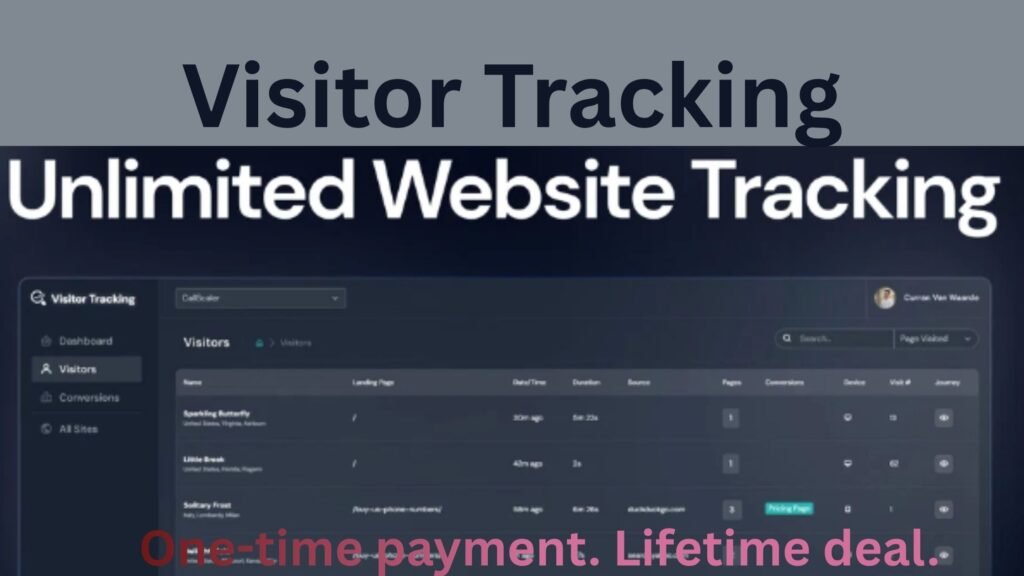
Visitor Tracking: Do you ever wonder what your visitors do after landing on your website?
You might see traffic numbers, but you probably don’t know where people come from, how they move around, or why they leave.
Most analytics tools show data but make it hard to understand. However, Visitor Tracking changes that completely.
It helps you see every visitor, every click, and every conversion — in real time. Therefore, you can finally understand what’s really happening on your website.
Quick Overview
Visitor Tracking is an easy-to-use analytics platform that lets you monitor unlimited websites. It gives you a clear picture of how visitors behave, where they come from, and how they convert.
It’s built for:
-
Bloggers, who want to know which posts attract readers.
-
E-commerce owners, who want to follow customer paths.
-
Marketers and agencies, who manage several sites at once.
Unlike many tools, Visitor Tracking focuses on clarity. Instead of long reports and confusing graphs, you get simple, actionable insights. As a result, you’ll spend less time guessing and more time improving your site.
⚙️ Key Features
1. Visitor Stream
The Visitor Stream shows all visitor activity in real time. You can see who’s browsing, where they’re from, how long they stay, and what they do next.
Moreover, you’ll know when someone converts and which page they started on. In short, it’s like watching your online shop in action — every visitor, every move.
2. Website Portfolio Tracking
If you manage multiple sites, this feature is a game-changer. It combines all your websites into one clean dashboard.
You can track traffic, engagement, and conversions for all your projects in one place. Additionally, it saves you time since you don’t have to jump between accounts. Consequently, managing analytics becomes far more efficient.
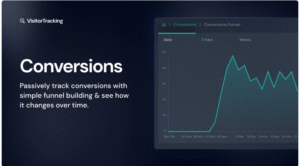
3. Funnel & Conversion Tracking
Understanding your funnel is key to growth. Thankfully, this feature shows where users drop off before converting.
For example, you can see if visitors leave on your pricing page or during checkout. Therefore, you’ll know exactly which parts of your site need improvement.
4. Customer Journey Tracking
This is one of the standout features. It connects all sessions from the same user into a single story.
Let’s say someone visits your site today and returns a few days later to make a purchase. Normally, most analytics tools treat those as two separate visits. However, Visitor Tracking links them together.
As a result, you get a complete view of the customer’s journey — from first visit to final sale. Furthermore, this helps you understand what drives people to return and buy.
5. Passive Conversion Tracking
A/B testing can be tedious and time-consuming. Fortunately, Visitor Tracking simplifies the process through passive conversion tracking.
It automatically measures how your conversion rate changes as you edit your site. In other words, you can see which updates improve results without running manual tests.
Consequently, you can optimize faster and focus on what truly works.
Ease of Use
Visitor Tracking is built for simplicity. From setup to daily use, it’s smooth and stress-free.
You only need to add a small tracking code to your site or connect through WordPress, Shopify, or Webflow. After that, the data starts coming in instantly.
The dashboard is clean and intuitive. Additionally, you can switch between views — sessions, pageviews, or visitors — with one click. As a result, even beginners can find useful insights in minutes.
Design and Interface
The design is modern and visually balanced. Unlike other analytics tools that feel cluttered, Visitor Tracking keeps things neat.
Charts are easy to read, and key metrics stand out clearly. Moreover, the dashboard gives you both a high-level overview and detailed session data.
Overall, it looks professional yet remains simple enough for everyday use.
Performance and SEO Insights
Performance is excellent. The tracking script is lightweight, so it doesn’t slow down your site.
In addition, it offers helpful SEO insights. You can:
-
Track when a page starts getting organic traffic.
-
See which search engines bring visitors.
-
Monitor how SEO changes affect performance.
As a result, you’ll always know which content or keywords drive the best results. Therefore, it becomes easier to refine your SEO strategy with real evidence.
🛍️ Integrations and Compatibility
Visitor Tracking integrates smoothly with popular platforms like:
-
WordPress
-
Shopify
-
Wix
-
Squarespace
-
Webflow
Because of this, you can track both blogs and online stores without switching tools.
For e-commerce owners, funnel tracking helps reveal where buyers drop off. Consequently, you can fix weak points in your checkout process and increase conversions.
💰 Pricing and Lifetime Access
Visitor Tracking offers one of the best deals available — lifetime access with a single payment.
Each plan includes:
-
All future Essential Plan updates
-
Up to 9 code stacks
-
A 60-day money-back guarantee
Therefore, you can try it risk-free. If it doesn’t fit your needs, you’ll get a full refund. In comparison, most analytics tools charge monthly — making this deal far more cost-effective.
👍 Pros and 👎 Cons
Pros
- Tracks unlimited websites
- Real-time visitor stream
- Funnel and conversion insights
- Simple setup and easy interface
- Works with major website builders
- One-time payment for lifetime use
- Refund guarantee
Cons
❌ Fewer advanced filters than enterprise tools
❌ Limited customization for reports
Nevertheless, these are minor issues compared to the overall value and usability.
🔍 Who Should Use Visitor Tracking
-
Bloggers who want to track SEO traffic and engagement.
-
E-commerce owners who need to follow customer journeys.
-
Marketers who test campaigns and measure conversions.
-
Agencies that manage analytics for multiple clients.
In essence, it’s ideal for anyone who wants deeper insight into website performance without technical headaches.
🧠 Final Verdict
In conclusion, Visitor Tracking is an excellent analytics solution for everyday use. It delivers clear, useful data without overwhelming you.
Moreover, it connects the dots between visits, conversions, and revenue. Therefore, you’ll finally understand what drives success on your website.
With lifetime access, unlimited tracking, and a user-friendly interface, it’s a smart investment for bloggers, marketers, and business owners alike.