TextSniper: Ever needed to copy text from a YouTube video, Zoom call, or PDF, but found it impossible?
TextSniper solves this problem.
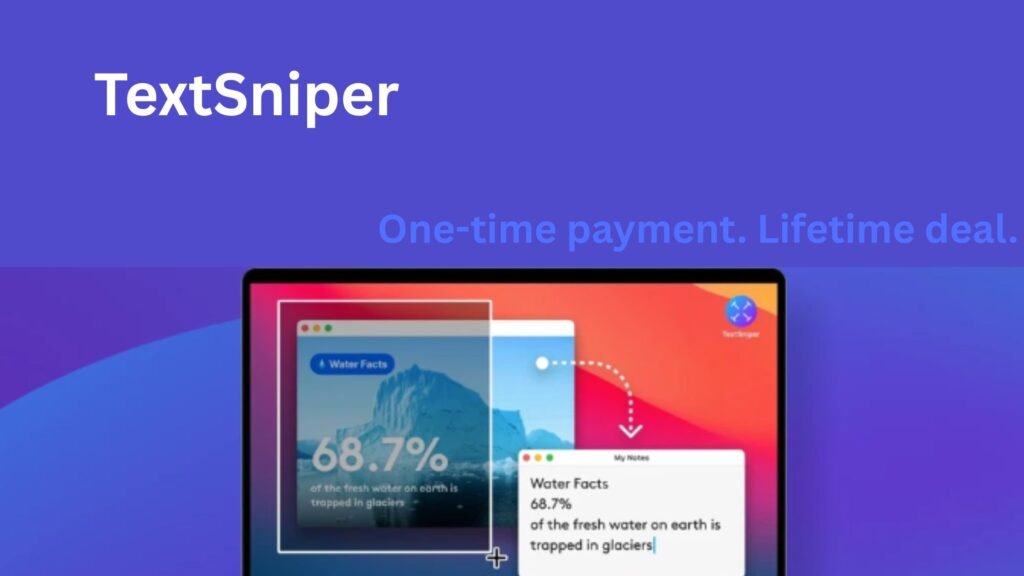
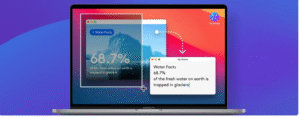
It’s a simple yet powerful OCR (Optical Character Recognition) tool for Mac that instantly extracts text from anything on your screen — images, slides, PDFs, or videos. As a result, you can save hours spent retyping content manually.
⚡ What Is TextSniper?
TextSniper is a lightweight, privacy-focused OCR app. It runs entirely on your Mac, meaning no data is sent to the cloud.
This makes it ideal for bloggers, students, educators, content creators, and customer support teams. Moreover, it’s fast, reliable, and extremely easy to use.
To get started, simply press CMD + SHIFT + 2, select the area on your screen, and the app automatically recognizes and copies the text to your clipboard.
In addition, TextSniper runs unobtrusively from the menu bar, keeping your workspace clean.
🧠 Key Features That Make TextSniper Stand Out
-
Advanced OCR Technology: Extract text from images, PDFs, slides, or any visual content you see.
-
Blazing Fast Recognition: Quickly capture text with high accuracy.
-
Text-to-Speech: Let your Mac read the recognized text aloud, which is perfect for multitasking.
-
QR & Barcode Scanner: Capture QR codes and barcodes instantly and convert them to text.
-
Offline Mode: All processing happens locally, so no internet is needed.
-
Customizable Shortcuts: Tailor commands for your workflow, improving efficiency.
-
Multi-language Support: Recognizes English, German, French, Spanish, Portuguese, Italian, and Chinese (on macOS Big Sur).
-
Privacy-Focused: All data stays on your Mac — no personal information is collected.
🧩 Who Should Use TextSniper?
TextSniper is ideal for anyone who frequently works with screenshots, PDFs, scanned documents, or slides.
Bloggers, content creators, and support teams will benefit the most.
Furthermore, the minimal interface ensures it does not clutter your Mac dock, while remaining easily accessible from the menu bar.
In addition, it can instantly turn recognized text into speech, which is helpful for reading content on the go or reviewing material quickly. Therefore, it improves both productivity and accessibility.
💡 Why Choose TextSniper?
Unlike online OCR tools, TextSniper works offline and respects your privacy. Moreover, it’s simple to use, fast, and reliable. As a result, you can extract, edit, and even listen to text without any hassle.
🎯 Get lifetime access to TextSniper – OCR Simplified today!
Redeem within 60 days, enjoy all future updates, and try it risk-free with a 60-day money-back guarantee.