Puzzle
Puzzle Turn messy processes and systems into clear diagrams with this visual mapping tool
Every business uses processes.
However, most of them are hard to explain. Because of this, teams feel lost. As a result, work slows down and errors appear.
That is where Puzzle helps.
Puzzle is a visual mapping tool. It turns complex processes into clear diagrams. Instead of writing long explanations, you show how things work. Therefore, understanding improves fast.
If you manage systems, workflows, or ideas, Puzzle brings order to chaos.
See processes clearly from the start
Text-heavy documents are hard to read. Meanwhile, whiteboards become messy. Traditional flowcharts also feel stiff.
Puzzle offers a better option.
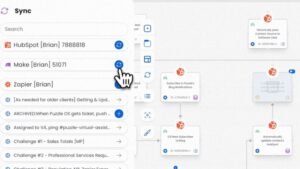
First, you start with a clean canvas. Then, you add steps and actions. Next, you connect them visually. As a result, the process stays clear.
You can zoom in to see details. At the same time, you can zoom out to see the full system. Because of this, issues appear early.
Turn ideas into working systems
Many ideas fail because they stay unclear. Therefore, teams struggle to act on them.
Puzzle changes this.
With Puzzle, you can break big ideas into small steps. In addition, you can show how tasks depend on each other. For example, you can map decisions and outcomes side by side. As a result, plans become easier to follow.
This works well in planning meetings. It also helps during strategy sessions. Instead of guessing, everyone sees the same map.
Built for team alignment
Processes rarely belong to one person. Therefore, teams need shared clarity.
Puzzle supports collaboration.
You can share diagrams with your team, clients, or partners. As a result, everyone works from the same source. Meanwhile, confusion drops.
Teams use Puzzle to document workflows. They also align departments. In addition, they explain systems without long meetings.
Because diagrams are easy to update, documentation stays current.
Speed up onboarding with visuals
Onboarding often takes too long. New hires read documents. However, they still feel unsure.
Puzzle solves this problem.
Visual maps show how systems connect. Therefore, new team members understand faster. In addition, they see where their role fits.
As a result, ramp-up time decreases. Meanwhile, managers spend less time repeating instructions.
Explain complex systems with ease
Not everyone enjoys reading long text. Therefore, visuals matter.
Puzzle helps explain business workflows. It also maps technical systems. In addition, it shows client processes clearly.
Because diagrams are structured, even non-technical users follow along. As a result, cross-team communication improves.
Instead of sending long emails, you share one diagram.
Flexible for many use cases
Puzzle fits many roles and industries. Therefore, it adapts to your needs.
People use Puzzle for process mapping. They also use it for SOPs. For example, teams map customer journeys or product workflows.
You control the level of detail. As a result, diagrams stay readable at every stage.
Stay organized as you grow
As businesses grow, processes change. However, documentation often falls behind.
Puzzle stays flexible.
You can organize diagrams by project or team. In addition, you can update maps over time. Therefore, nothing becomes outdated.
Over time, Puzzle becomes a visual library of how work gets done.
Make better decisions with clarity
Unclear processes create poor decisions. Therefore, teams guess instead of knowing.
Puzzle removes the guesswork.
When everything is visible, discussions improve. As a result, decisions become faster and better.
You do not assume how systems work. Instead, you see them clearly.
Why teams choose Puzzle
Puzzle helps you:
-
Turn messy processes into clean diagrams
-
Improve team alignment
-
Document systems visually
-
Speed up onboarding
-
Reduce confusion
Therefore, teams work with confidence.
Simple tool. Clear results.
You do not need another complex platform. Instead, you need clarity.
Puzzle helps you think visually. In addition, it helps you explain systems simply. As a result, teams move faster.
If you manage workflows or ideas, Puzzle gives you a clearer way forward.
First, turn confusion into clarity.
Then, turn ideas into systems.
Finally, turn messy processes into clean diagrams—with Puzzle.