Measuremate
Measuremate Automate GA4, GTM, and BigQuery. Track data. Check it. Report it. No code. No sheets.
Analytics should feel easy.
But often, it does not.
GA4 feels hard.
And GTM feels risky.
BigQuery feels complex too.
Because of this, teams struggle.
So tracking breaks.
And reports feel wrong.
As a result, decisions slow down.
Measuremate fixes this.
Measuremate is a no-code analytics tool.
And it connects GA4, GTM, and BigQuery.
So everything works together.
As a result, tracking feels clear.
And reporting feels simple.
Because the system runs for you.
Track events with less effort
Tracking should be simple.
But many tools make it hard.
Events go missing.
And names change often.
So reports lose meaning.
Measuremate solves this problem.
First, you set tracking rules.
Then Measuremate follows those rules.
So tracking stays the same.
You can track:
-
Page views
-
Clicks
-
Form submits
-
Conversions
-
Purchases
-
Custom actions
Also, Measuremate follows GA4 rules.
So event names stay clean.
And values stay correct.
Because of this, data stays stable.
As a result, trust goes up.
So guessing goes down.
Tag safely with GTM
Google Tag Manager is powerful.
But manual work causes errors.
One wrong change can break tracking.
So risk stays high.
Measuremate lowers that risk.
Instead of manual tags, you use rules.
Then Measuremate builds tags for you.
So GTM stays clean.
You can:
-
Create tags faster
-
And avoid duplicates
-
Also keep order
-
Then undo changes
Because things stay organized, errors drop.
As a result, GTM feels safer.
So stress stays low.
Check data before it spreads
Bad data causes problems.
But many teams notice too late.
Measuremate checks data right away.
So issues appear early.
It checks:
-
If events fire
-
And if values exist
-
Also if formats match
-
Then if tools sync
When something fails, alerts appear.
So you act fast.
As a result, damage stays small.
Because of this, reports stay trusted.
Send data to BigQuery easily
BigQuery is powerful.
But it feels hard to use.
Most teams need SQL.
So many teams avoid it.
Measuremate removes this step.
It sends GA4 data to BigQuery.
And it cleans the data.
Also, it keeps formats stable.
Measuremate also:
-
Handles changes
-
And manages updates
-
Then supports history
As a result, data stays ready.
So analysts save time.
And others feel safe.
Because of this, BigQuery feels useful.
Report without spreadsheets
Spreadsheets feel familiar.
But they do not scale.
They break often.
And they slow work.
Measuremate replaces them.
You can:
-
Build dashboards
-
And track funnels
-
Also see conversions
-
Then watch revenue
Reports update on their own.
So copy and paste is gone.
As a result, work feels lighter.
Because of this, teams move faster.
See insights faster
Data alone is not enough.
So insights matter.
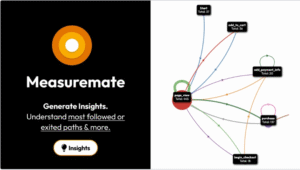
Measuremate shows what matters.
It shows:
-
Drops in metrics
-
And sudden spikes
-
Also funnel issues
-
Then traffic shifts
Instead of digging, insights appear.
As a result, actions feel clear.
So progress speeds up.
In short, numbers make sense.
Built for simple teams
Measuremate is made for real users.
So skills are not required.
It works for:
-
Founders
-
And marketers
-
Also growth teams
-
Then agencies
-
And analysts
You do not need code.
And you do not need SQL.
So setup feels easy.
Because of this, teams stay focused.
Easy setup from day one
Getting started feels simple.
First, connect GA4.
Then connect GTM.
And connect BigQuery.
After that, set rules.
Then turn on checks.
Finally, enable reports.
Once done, Measuremate runs quietly.
So it works in the background.
As your business grows, data stays clean.
And tracking stays stable.
So scaling feels safe.
Why Measuremate?
Because GA4 should feel clear.
And because GTM should feel safe.
Also because BigQuery should feel open.
Measuremate brings tools together.
So manual work fades away.
As a result, errors drop.
With Measuremate, you get:
-
Clean tracking
-
And checked data
-
Also clear reports
-
Then useful insights
All without code.
And without spreadsheets.
In the end, if data matters to growth, Measuremate fits your stack.