Logic Sheet – Build AI Agents and Automations Directly Inside Google Sheets
Logic Sheet Most businesses rely on Google Sheets because it is simple, flexible, and easy to share. Teams track data, plan tasks, manage clients, prepare reports, and organize projects.
However, even though Sheets is powerful, it is still manual. You must copy data, clean text, create reports, write emails, and update information by hand. These steps take time. They slow you down. They also lead to mistakes.
Logic Sheet solves this problem by turning Google Sheets into a smart automation hub powered by AI. It helps you create intelligent agents that can read your data, understand your instructions, and take action for you. As a result, you save time, reduce errors, and enjoy smoother workflows.
With Logic Sheet, you can automate repetitive work without coding. You can build workflows, create triggers, and activate AI actions in just a few clicks.
Everything runs inside Google Sheets, so you do not need another app, dashboard, or integration platform. Your data stays where you already use it. Your team continues working in a familiar place. The difference is that now your spreadsheet can think for you.
Build AI Agents That Work Like Teammates
Logic Sheet gives you the tools to create AI agents that understand your data and complete tasks automatically. These agents can summarize large datasets, generate insights, clean text, create content, and answer questions.
They can also run actions based on triggers so the right steps happen at the right time.
For example, if a new row is added to your sheet, the agent can send an email, post a Slack message, update a CRM record, or predict an outcome.
Because the agent uses AI, it can do far more than a standard formula. It can follow natural language instructions and perform complex logic.
Automate Reports and Save Hours Each Week
Many teams spend hours every week creating reports. They copy numbers, format tables, collect updates, and draft summaries. Logic Sheet removes these steps.
You can ask an agent to write a weekly report, organize data, analyze trends, and summarize insights. Then, it can email the report to the right people automatically.
In addition, you can generate instant summaries of any sheet with a simple command. This helps you understand performance faster. It also helps you share insights without doing extra work.
Clean and Prepare Data With AI
Data preparation is one of the most frustrating tasks in Google Sheets. You must trim text, rename fields, fix errors, convert formats, and standardize entries.
Logic Sheet simplifies this process. Its AI can clean messy data on command. It can detect duplicates, fix spelling, format names, rewrite text, categorize items, and merge information intelligently.
Because the AI understands context, it can make smarter decisions than basic formulas. As a result, your data becomes consistent, organized, and ready to use in other workflows.
Connect Your Sheets to the Tools You Already Use
Logic Sheet integrates with popular apps such as Gmail, Slack, Google Drive, Notion, and many more.
You can connect your sheet to these tools and automate actions in both directions. For example, you can send emails, create tasks, upload files, post updates, and sync data. Everything works through clear, easy steps.
These integrations allow you to centralize your work. Instead of jumping between platforms, you set up automations once and let them run. This reduces friction and helps your team focus on tasks that truly matter.
Trigger Actions With Conditions and Events
Because Logic Sheet supports triggers, you can start actions at the perfect moment. You can trigger tasks based on:
-
new rows
-
updated cells
-
specific values
-
scheduled times
-
recurring intervals
-
manual button clicks
This flexibility lets you design workflows that run automatically. You do not need to monitor the sheet or execute tasks yourself. Consequently, your systems stay accurate and up to date.
Use Templates to Build Faster
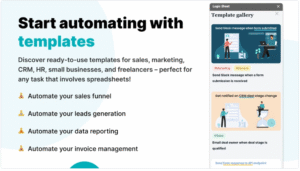
To help you start quickly, Logic Sheet includes templates for common use cases. You can explore templates for lead management, content creation, reporting, email automation, and project management. These templates save time and give you inspiration for your own workflows.
Why Teams Choose Logic Sheet
Teams choose Logic Sheet because it is simple.
Furthermore, the AI capabilities make your sheet far more useful. Instead of writing long formulas or building scripts, you use natural language.
You tell the agent what you want. Then, the agent takes action. This approach helps beginners. It also helps experienced users who want faster results.
Powerful Use Cases Across Teams
Because Logic Sheet is flexible, it can support many types of work. For example:
Marketing teams can generate content, update calendars, track campaigns, and send automated messages.
Sales teams can manage pipelines, update leads, sync CRM data, and send follow-up emails.
Support teams can process tickets, summarize conversations, and prepare responses.
Finance teams can automate reconciliations, analyze trends, and prepare monthly reports.
Operations teams can build workflows, manage tasks, and streamline processes.
Start Automating Today
Logic Sheet gives you the power to transform your Google Sheets into an intelligent system. You can build AI agents, automate repetitive tasks, and connect your data to the apps you rely on every day.
You no longer need to spend hours on manual work. Instead, you delegate tasks to the agent and focus on real progress.
If you want to save time, reduce mistakes, and create smarter workflows, Logic Sheet is the tool that helps you do it. It brings AI and automation into the space where your team is already working.
As a result, your spreadsheet becomes a reliable partner that helps your business move faster.