Formly – Forms, Surveys & Quizzes
Formly Build custom forms, surveys, and quizzes that convert — with no code or design skills
Building online forms should be easy. However, for many teams, it still feels hard. Tools are often complex. They are also slow and confusing. As a result, businesses lose leads.
That is why Formly exists.
Formly helps you build forms, surveys, and quizzes that convert. Instead of writing code, you use a simple visual builder. Therefore, you can launch faster. Ultimately, you collect better data with less effort.
Why Formly Is Important
Forms do more than collect data. Instead, they drive growth. They power lead capture, onboarding, and feedback. Therefore, poor forms hurt results.
Unfortunately, many form tools focus on features alone. As a result, they ignore user experience. Formly takes a different approach.
Formly focuses on clarity first. Moreover, it focuses on conversion. In other words, it helps people finish forms.
Build Without Code or Design Skills
First of all, Formly is built for non-technical users. The editor is drag and drop. It is also clean and intuitive. Because of this, anyone can use it.
You can add:
-
Text and email fields
-
Multiple-choice questions
-
Dropdowns and checkboxes
-
File uploads
-
Sliders and ratings
-
Hidden fields
-
Multi-step layouts
Meanwhile, the preview updates instantly. As a result, you always see changes live. Therefore, publishing feels safe and fast.
Use Templates to Save Time
Starting from scratch slows you down. Therefore, Formly includes ready-made templates. These templates are simple. However, they are also proven to convert.
You can choose templates for:
-
Lead capture
-
Newsletter signups
-
Customer onboarding
-
Feedback surveys
-
NPS surveys
-
Event registrations
-
Quizzes and assessments
Additionally, every template is customizable. Consequently, your brand stays consistent. In short, you save time and look professional.
Create Smarter Forms With Logic
Long forms cause drop-offs. As a result, users leave early. Formly solves this with conditional logic.
You can show or hide questions based on answers. Likewise, you can skip steps automatically. Because of this, forms feel shorter.
For example, a quiz can change based on responses. Consequently, each user gets a personal flow. At the same time, you collect cleaner data.
Connect Forms to Your Tools
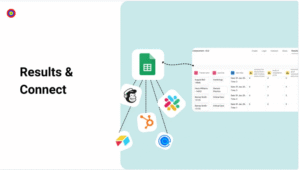
Collecting responses is only step one. Therefore, Formly connects with your tools.
You can integrate with:
-
Email marketing platforms
-
CRM systems
-
Automation tools like Zapier and Make
-
Google Sheets
-
Airtable
As a result, submissions trigger actions. Instead of manual work, automation takes over. Ultimately, you save hours every week.
Track Results With Built-In Analytics
Even strong forms can improve. That is why Formly includes analytics.
You can track:
-
Views
-
Submissions
-
Completion rates
-
Drop-off points
Because the data is clear, insights come fast. Over time, small tweaks add up. Consequently, conversions increase.
Publish Anywhere Instantly
Launching forms should not need developers. Therefore, Formly supports multiple options.
You can publish using:
-
Inline embeds
-
Popups
-
Slide-ins
-
Standalone links
As a result, forms work everywhere. You can share them on websites, emails, or landing pages.
Secure and GDPR-Ready
Data security matters. Consequently, Formly uses SSL encryption. It also includes spam protection.
In addition, GDPR tools help manage consent. Because of this, compliance becomes simple. At the same time, users feel safe.
How Teams Use Formly
Formly is flexible. Therefore, it fits many use cases.
Grow your list with clean lead forms.
Collect feedback with clear surveys.
Qualify leads using multi-step forms.
Boost engagement with interactive quizzes.
Improve internal workflows with request forms.
In each case, Formly reduces friction.
What Makes Formly Different
Many tools try to do too much. However, Formly stays focused.
-
Clean design instead of clutter
-
Smart logic without setup pain
-
Simple UI with real power
-
Easy integrations without silos
Because of this focus, Formly replaces several tools. In contrast, other builders add complexity.
Who Formly Is For
Formly works best for:
-
Solopreneurs
-
Small businesses
-
Marketers
-
Agencies
-
Coaches
-
SaaS teams
-
eCommerce brands
If you rely on forms, Formly fits naturally.
What You Get With Formly
When you choose Formly, you get:
-
Unlimited forms, surveys, and quizzes
-
Drag-and-drop builder
-
Conditional logic
-
Conversion-ready templates
-
CRM and marketing integrations
-
Embed and sharing options
-
Analytics and reporting
-
GDPR-ready tools
-
Reliable support
All without code. Therefore, setup stays simple.
Final Thoughts
Forms should support growth. However, most tools slow teams down. Formly removes that friction.
By combining simplicity and performance, Formly turns forms into assets. Ultimately, you spend less time building. Instead, you convert more users.
Build smarter forms. Collect better data. Convert more users.
With Formly, forms finally work for you.