Poppy AI Review: Turn Videos, PDFs, and Voice Notes Into Better Content
Poppy AI Creating content takes time. First, you need ideas. Then, you need research. After that, you still have to write everything clearly.
For many creators and businesses, this process feels overwhelming. You may save YouTube videos for inspiration. You may also collect PDFs filled with useful information. In addition, you might record voice notes when ideas suddenly come to mind. However, turning all that content into polished posts or emails often takes hours.
That is where Poppy AI comes in.
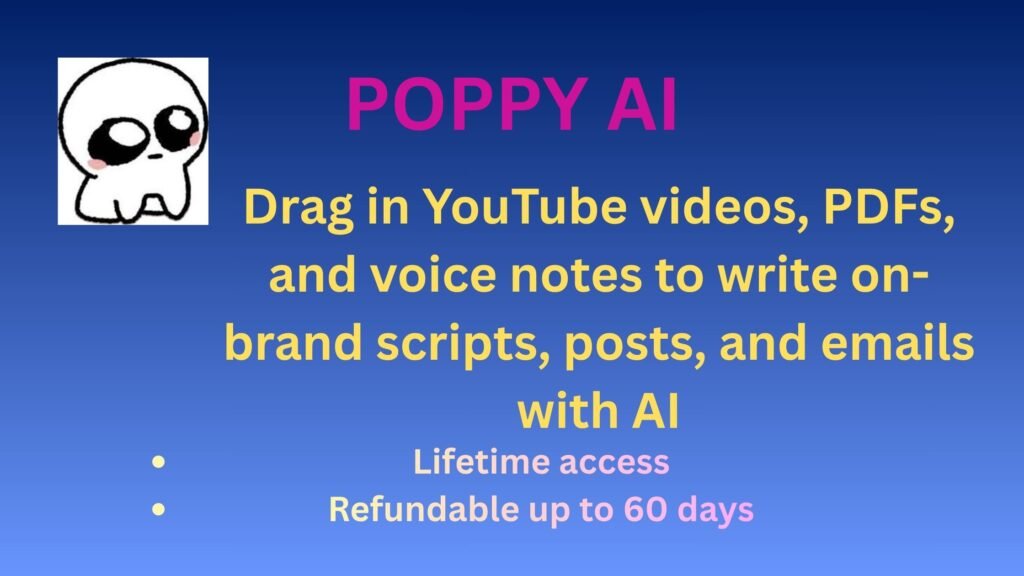
Poppy AI helps you turn videos, PDFs, voice notes, and documents into content using AI. Instead of starting from scratch, you can use the materials you already trust. As a result, writing becomes faster and easier.
Even better, Poppy AI helps your content stay consistent with your brand voice.
What Is Poppy AI?
Poppy AI is an AI-powered content creation tool. It helps users turn existing materials into ready-to-publish content.
Instead of staring at a blank page, you simply upload information you already have. Then, the platform studies your content and creates new material based on it.
For example, you can upload:
- YouTube videos
- PDFs
- Voice notes
- Audio recordings
- Text documents
- Screenshots and images
After uploading your files, Poppy AI analyzes them for context. As a result, you get content that feels more relevant and useful.
For instance, you can turn a webinar into an email campaign. Likewise, you can transform research documents into blog ideas. You can even convert meeting notes into marketing copy.
Because of this, content creation becomes much easier.
Why Many AI Writing Tools Feel Generic
Most AI writing tools rely only on prompts. You type instructions and wait for results. However, the final content often feels robotic.
In many cases, the writing lacks personality. Moreover, it may not match your brand voice. Therefore, businesses often spend extra time editing the output.
This can lead to several common problems:
- Content feels repetitive
- Brand voice becomes inconsistent
- Research takes too much time
- Key details get missed
- Teams struggle to stay aligned
Poppy AI works differently.
Instead of relying only on prompts, it learns from your real content. Therefore, the results feel more natural. In addition, they often sound more like your own writing style.
Because of this, less editing is needed.
How Poppy AI Works
Getting started with Poppy AI is simple.
First, upload your content. For example, you can add YouTube videos, PDFs, voice notes, or text files.
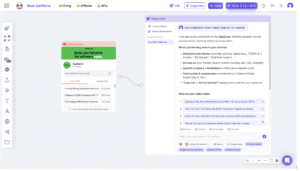
Next, organize everything in one visual workspace. This helps keep your research structured.
Then, ask the AI to generate content.
You can create:
- YouTube scripts
- Social media posts
- Marketing emails
- Blog drafts
- Product descriptions
The AI uses your uploaded content as context. Therefore, the results feel more accurate and personalized.
Moreover, Poppy AI helps maintain a consistent tone across projects. As a result, your brand messaging stays clear.
Best Features of Poppy AI
1. Drag-and-Drop Uploads
Poppy AI supports many content formats. Instead of switching between different apps, you can upload everything into one place.
For example, you can add:
- Videos
- PDFs
- Voice recordings
- Notes
- Documents
- Images
As a result, research becomes easier to manage. In addition, you save time.
2. On-Brand Content Writing
Many AI tools sound generic. However, Poppy AI tries to learn your tone.
By analyzing your uploaded materials, the platform creates content that sounds more natural. Therefore, your writing feels more consistent.
This feature is especially useful for:
- Creators
- Agencies
- Coaches
- Consultants
- Marketing teams
- Small businesses
Because of this, teams can maintain a stronger brand voice.
3. Easy Content Repurposing
Creating content takes effort. Therefore, repurposing it should be simple.
Poppy AI helps you turn one piece of content into many formats.
For example, you can turn:
- Podcasts into blog posts
- Videos into email campaigns
- Research into social content
- Voice notes into newsletters
- Meeting notes into summaries
As a result, you get more value from every piece of content.
4. Visual Workspace
Poppy AI keeps everything organized.
Instead of jumping between folders, you can manage projects in one place. Moreover, the visual layout helps connect ideas faster.
Because of this, users often feel more productive.
It can help you:
- Stay focused
- Organize projects
- Connect ideas faster
- Reduce creative blocks
5. Faster Writing Process
Writing from scratch takes time. However, Poppy AI speeds things up.
Since the platform uses content you already have, less research is needed. As a result, you can produce drafts much faster.
For busy creators and teams, this can save many hours each week.
Who Should Use Poppy AI?
Poppy AI works best for people who create content regularly.
Content Creators
If you publish videos or podcasts, Poppy AI can help repurpose your content faster.
Agencies
Agencies can create client content more quickly. At the same time, they can keep messaging consistent.
Entrepreneurs
Business owners can write posts, emails, and marketing copy without hiring a large team.
Coaches and Consultants
Webinars and voice notes can quickly become useful content.
Marketing Teams
Marketing teams can stay aligned. Moreover, they can maintain a consistent voice across campaigns.
In short, Poppy AI works well for anyone who wants to create more content in less time.
Pros of Poppy AI
Here are some key benefits:
✅ Supports multiple content formats
Saves time on research
Helps maintain brand consistency
Makes repurposing easier
Keeps ideas organized
Speeds up content creation
Possible Downsides
Like any tool, Poppy AI has limitations.
❌ New users may need time to learn the platform
Better results depend on strong source material
Some workflows may require testing at first
However, many users may find that the benefits outweigh the drawbacks.
Final Verdict: Is Poppy AI Worth It?
Poppy AI is more than a simple AI writing tool.
Instead of relying only on prompts, it helps you create content using materials you already trust. You can upload videos, PDFs, and voice notes. Then, the AI turns them into useful content.
Moreover, it helps keep your writing aligned with your brand voice. Therefore, creators, agencies, and businesses may find it especially useful.
If you want to write faster, stay organized, and repurpose content more easily, Poppy AI is worth exploring. Instead of starting from zero every time, you can turn existing ideas into polished content much faster.